Tool comparison · Reviewed
Luphra vs Womp for a replacement part from a photo.
Choose Luphra for a measured replacement part you want to develop from a photo and refine in chat. Consider Womp for visual shape editing on a browser canvas. Both connect design with printing; compare the exported geometry and available material for your actual part.
Choose by the work you need to do
Choose Luphra when you want to describe a dimensioned part, refine it through conversation, and download or quote the result. Consider Womp when you prefer shaping a model on a visual browser canvas. Check the actual exported file and manufacturing offer before choosing either for a part that must fit.
The workflow, side by side
Published by Luphra. Competitor details come from the linked official sources; unverified features are identified below.
| What matters | Luphra | Womp |
|---|---|---|
| Starting point | Text, photos, and sketches. Add measured dimensions and explain hidden features.Luphra photo workflow | Browser modeling, prompt generation, and STL/OBJ upload.Womp product and printing |
| Editing and files | Revise in chat; download available STL and STEP files. Reopen STEP in compatible CAD software. A STEP file alone does not preserve a native feature tree.Luphra CAD workflow | Visual shape editing; mesh exports include STL, OBJ, and PLY. The FAQ does not list STEP or native CAD-history export.Womp exports and shipping FAQ |
| Materials and size | Standard prints use PLA or PETG. Width, depth, and height must each be below 220 mm (22 cm), including protrusions. Larger designs remain download-only for this print option.Luphra printing workflow | The FAQ describes white and clear resin prints. Confirm the size limit and offered material for your model in Womp's order flow.Womp exports and shipping FAQ |
| Design and print pricing | Plus: first 30 days $0 with a card, then $49/month for 30 CAD runs. Ultra: $119/month for 100 runs. Standard prints start at $20 each with US shipping, or $18 after the Plus or Ultra discount. The confirmed quote may be higher.Luphra pricing | A free Starter plan and paid Pro, Team, and Enterprise plans. Printing is a separate purchase; Pro advertises 10% off print orders. Check the billing period and current checkout price.Womp pricing |
| Dimensions and fit | Review dimensions, assumptions, and reported geometry checks, then check order eligibility. Geometry checks do not establish physical fit or strength. | No dimensional tolerance guarantee identified in the cited product description. Measure the exported model and test the mating surfaces.Womp product and printing |
| Print checks and ordering | Quote and order eligible parts through manufacturing partners, including Slant 3D. Confirm material, size, shipping, and payment before production.Luphra printing workflow | Advertises live print-readiness checks, material/size selection, and print-and-ship ordering.Womp product and printing |
| US delivery | Depends on the accepted manufacturing order and destination. No universal delivery window is promised. | The FAQ states 2–3 business days for processing, followed by shipping that varies by destination. Confirm the estimate for your US address.Womp exports and shipping FAQ |
When to choose Luphra
Choose Luphra when a photo is the starting reference for a dimensioned replacement and you want to revise the design through conversation. Review the reported solid and dimension checks, then download the CAD files or order an eligible PLA or PETG print. Native FreeCAD files are offered when a feature tree was generated.
When to choose Womp
Choose Womp when you want direct visual control over the shape, a free modeling starting point, and mesh exports. Its printing workflow also offers readiness checks and shipped prints. Confirm whether its material and geometry meet the needs of your replacement part.
01 / Give both tools the same part
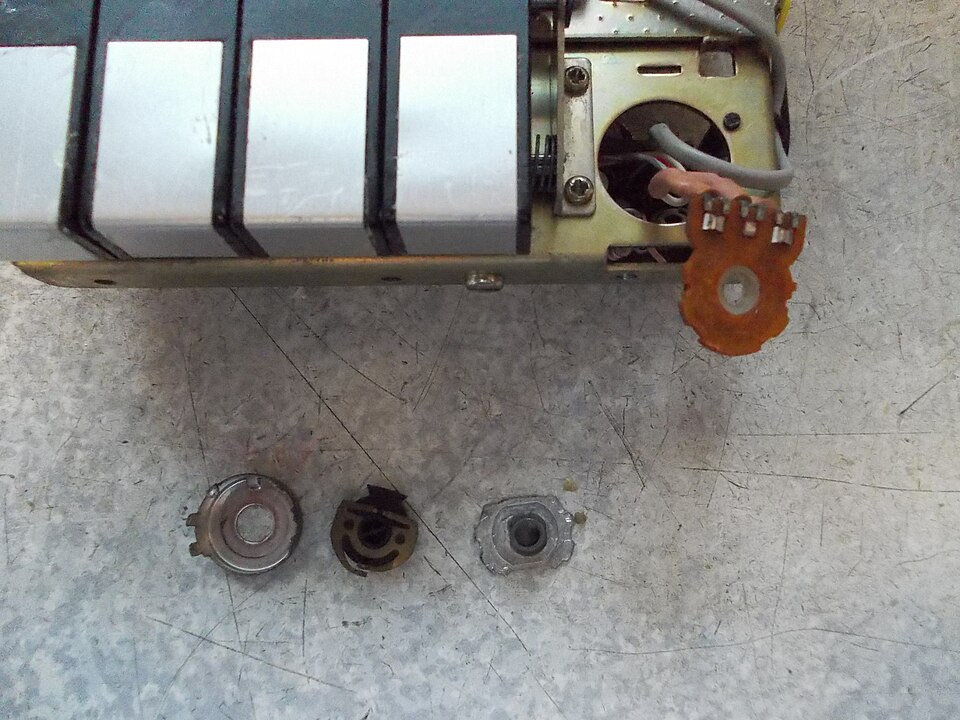
Start with the real broken volume-control reference below. The image does not include a scale or the complete original shaft. Record whether each workflow accepts the image and identifies the missing measurements. For a dimensional trial, use your own part and add a second view, measured shaft profile, engagement depth, and outside dimensions to the same brief in both tools.
02 / Compare the first useful revision
Time the path to a model you can inspect, then request one identical change: increase the grip diameter by 2 mm without changing the shaft opening. Count manual steps, failed attempts, and corrections. For a new CAD user, those steps matter more than the time to the first attractive preview.
03 / Compare the delivered result
Inspect the exported geometry in the same viewer, check the shaft profile, and request equivalent material and shipping options. Record the checkout estimate separately from actual arrival. Test the printed fit. This is a proposed evaluation, not a benchmark we have run; we do not claim an accuracy or speed winner.
Try the same brief
These are example requests and review steps, not completed tests or verified manufacturing results.
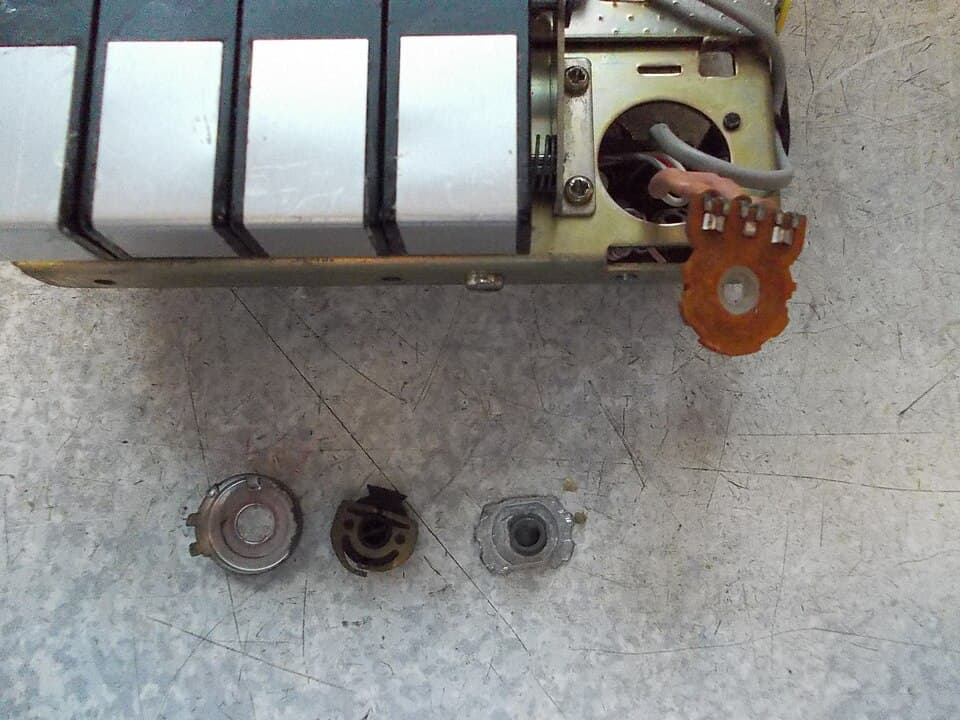
The photographer describes a broken knob shaft and shows the dismantled control. Use this real repair photo to compare how each tool handles incomplete evidence. There are no measured dimensions in the source, so it cannot establish dimensional accuracy or a working replacement. This is a repeatable test procedure; we have not run a controlled Luphra-versus-Womp benchmark.
Volume control, tony_duell, 2013. CC BY 2.0. Resized for this page; no other changes.
.jpg)
First test: identify missing information
This photo shows a dismantled volume control whose knob shaft broke. Help me plan a replacement knob and shaft. Identify what is visible and which dimensions or extra views you need before building. Do not infer exact measurements from this unscaled image. Keep any assumptions explicit.
Give both tools the same photo and prompt. Record accepted input types, missing measurements requested, and any invented dimensions. If a workflow requires manual modeling, record that step. Use a measured part for the later geometry and physical-fit trial.
Questions before you choose
- Which is more accurate, Luphra or Womp?
- We have not run a controlled accuracy comparison. Compare measured dimensions, revision behavior, and a physical prototype using the same part brief. Printability alone does not establish fit.
- Can I use photos with Luphra?
- Yes. Attach reference photos or sketches to the conversation and include measurements for scale and mating features. A photo alone does not specify every dimension.
- Which delivers a part faster?
- There is no verified head-to-head delivery result here. Compare current estimates for the same part, material, and destination, then measure actual delivery separately from design time.
Sources and scope
A dated comparison of documented workflows, not an independent performance test. Features, prices, and manufacturing offers can change. Confirm the current terms and inspect a sample output for your part.